Document Actions
Act on documents through the two menus Lunr offers, the grouped More menu in the Action Pane that applies to everything you have selected, and the Options menu at the end of a document's row that applies to that document alone.
Overview
Lunr offers two menus for acting on documents, and they hold different actions.
- The More menu, at the foot of the Action Pane, acts on every document you have selected. Its actions are gathered into groups.
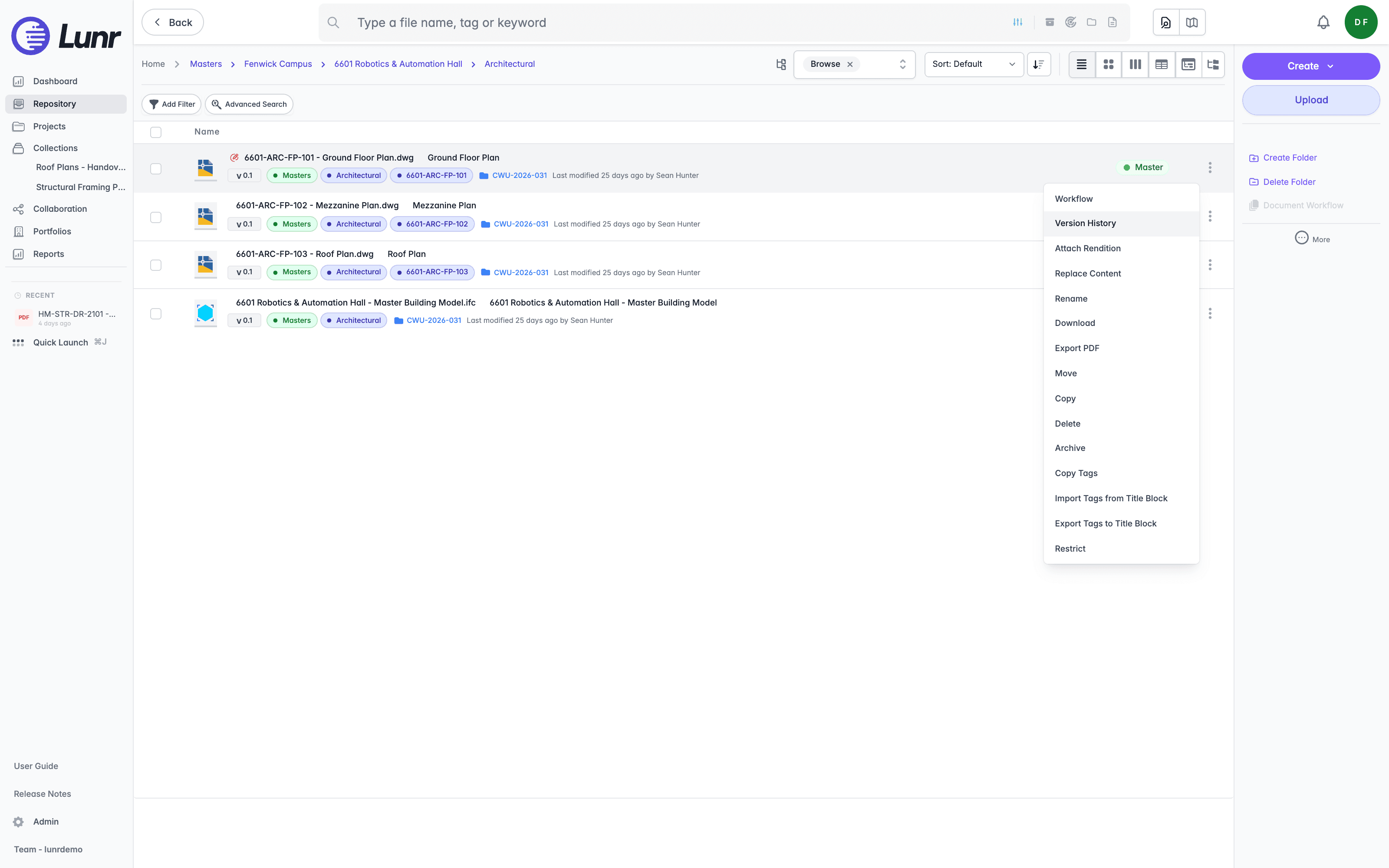
- The Options menu, opened with the three dots at the end of a document's row, acts on that one document. Its actions are a flat list.
What either menu offers depends on your access rights, your organisation's settings, and whether you are in the repository, a project, or a change request, so you may not see every entry described here.
The More Menu
More opens a menu with Assign to Change Request and Assign to Project at the top, then a set of groups you open in turn:
| Group | What it offers |
|---|---|
| Archive & Delete | Archive, Delete, Dismiss Validation Issues, Remove from Repository |
| Assign to | Add to Share, Assign to RFI |
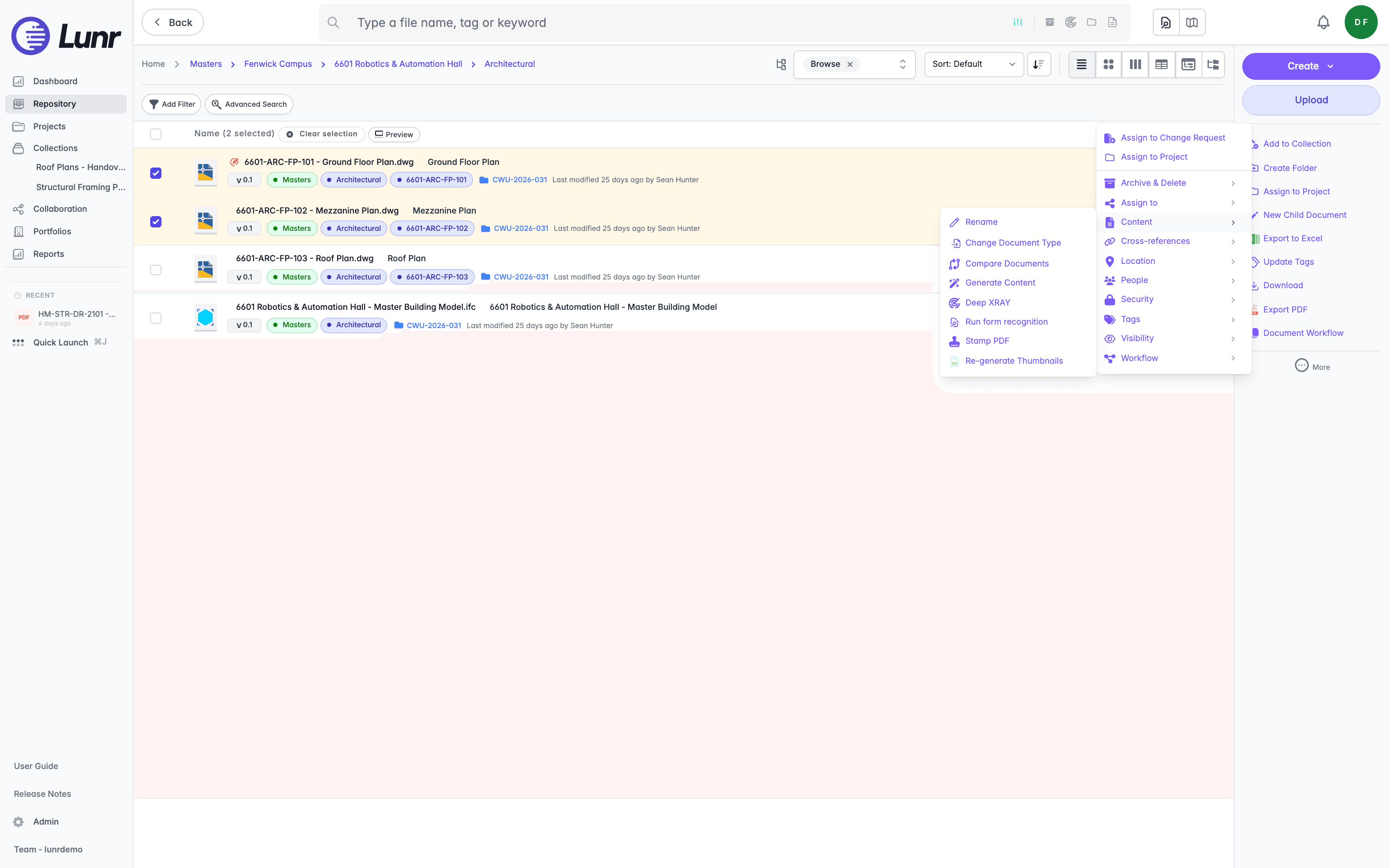
| Content | Rename, Compare Documents, Generate Content, Deep XRAY, Run form recognition, Stamp PDF, Re-generate Thumbnails |
| Cross-references | Link Xrefs |
| Location | Update Location |
| People | Assign to Me, Re-assign Reviewers, Re-assign Users, Clear Assignees |
| Security | Restrict Selected, Unrestrict Selected |
| Tags | Compare Tags, Export Tags to Title Block, Import Tags from Title Block |
| Visibility | Show Archived, Show Deleted |
| Workflow | Create Child Document, Merge Documents, Create Reminders |
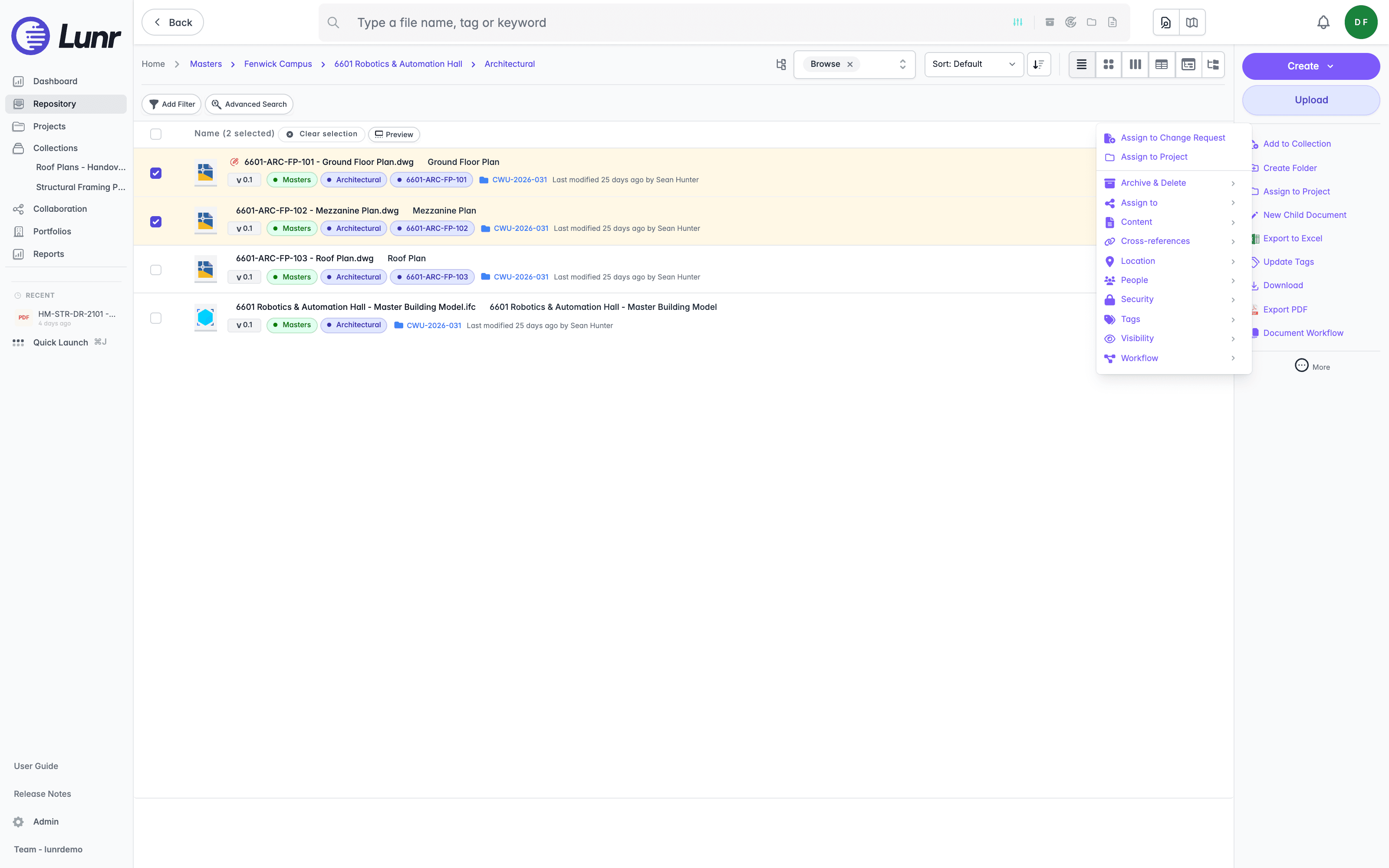
Open a group to see its actions. The Content group, for example, gathers the actions that change a document's content or its generated previews.
A Move group joins them when you work inside a project or a change request, where moving documents and folders between them applies. It is not offered in the repository.
The Options Menu
Select the three dots at the end of a document's row to open its Options menu, a flat list of fifteen actions for that document alone: Workflow, Version History, Attach Rendition, Replace Content, Rename, Download, Export PDF, Move, Copy, Delete, Archive, Copy Tags, Import Tags from Title Block, Export Tags to Title Block, and Restrict.
Four of them are covered where the task itself is:
- Version History opens the document's revisions, covered in Version History.
- Workflow moves the document through its workflow, covered in Document Workflows.
- Download and Export PDF are covered in Downloading Documents.
- Replace Content replaces the file behind the document, covered in Uploading Documents.
Archive, Delete, and Remove from Repository act on every document in your selection. Check the count in the list header before you confirm one of them.
Searching for Documents
Find documents using basic search, your recent searches, advanced search, tag filters, XRAY, Quick Search, Quick Launch, wildcard and boolean operators, archived document searches, and metadata export.
Version History
Open a document's version history to see every revision it holds, restore an earlier one as the current version, insert or reorder versions, and rename, download, delete, or suppress an individual version.