Change Request Number Formats
Configure the format Lunr uses to automatically assign a sequence number to new Change Requests, including its running number, tag placeholders, and padding.
Overview
Change Request Number Formats lets administrators define the pattern Lunr uses to automatically number new Change Requests. It requires the Administration Pages access right.
Open this page from Configure number formats → on the Change Request tab of Project Settings. That link only appears once Enable Change Request sequence numbers?, immediately above it on the same tab, is enabled.
Enable Change Request sequence numbers? controls whether a Change Request number is generated at all when a Change Request is created, and whether the Change Request number column appears in the Change Requests table. With it disabled, the link to this page is hidden and the formats on this page, even if you reach it directly by its URL, are never used.
Adding a Format
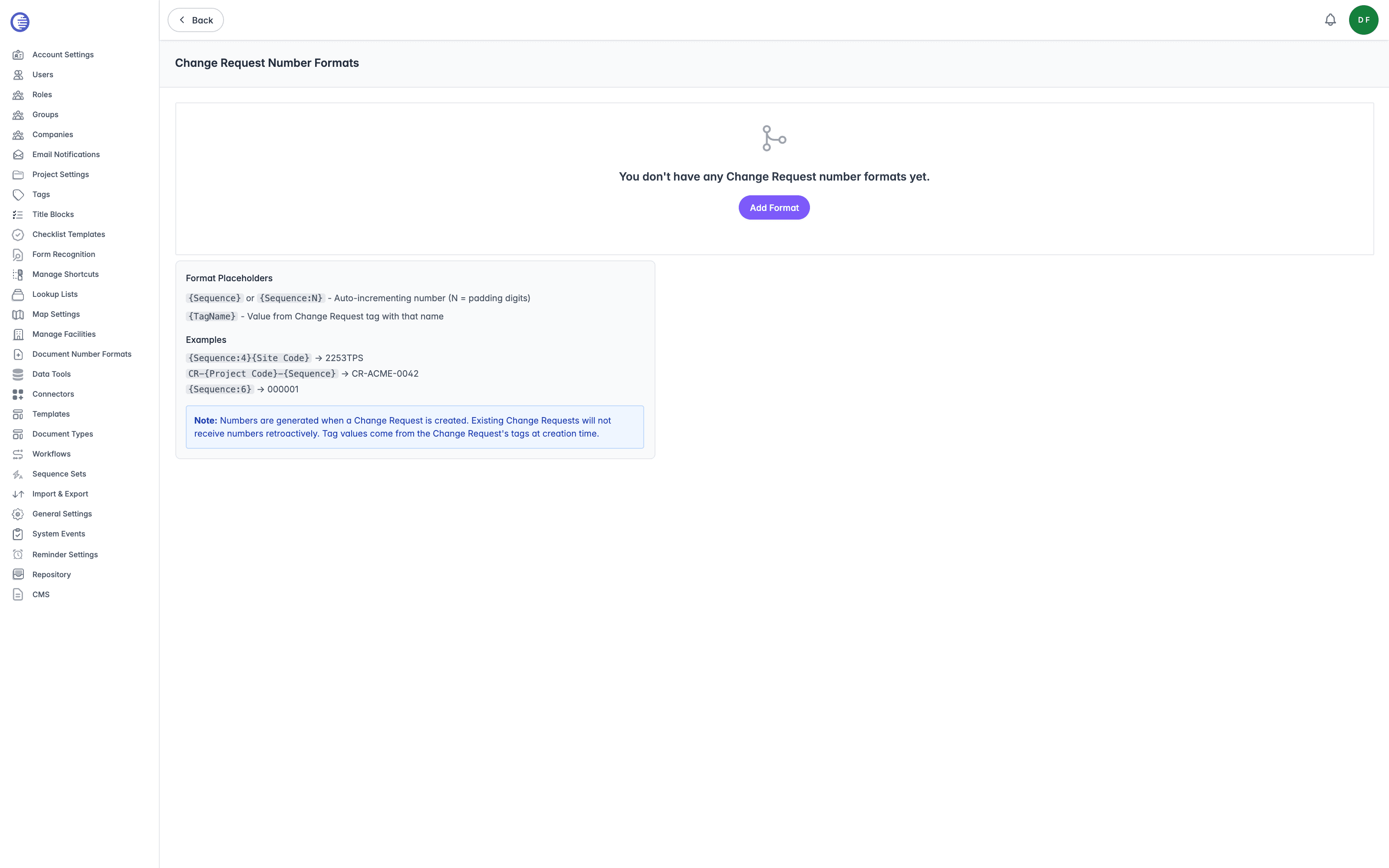
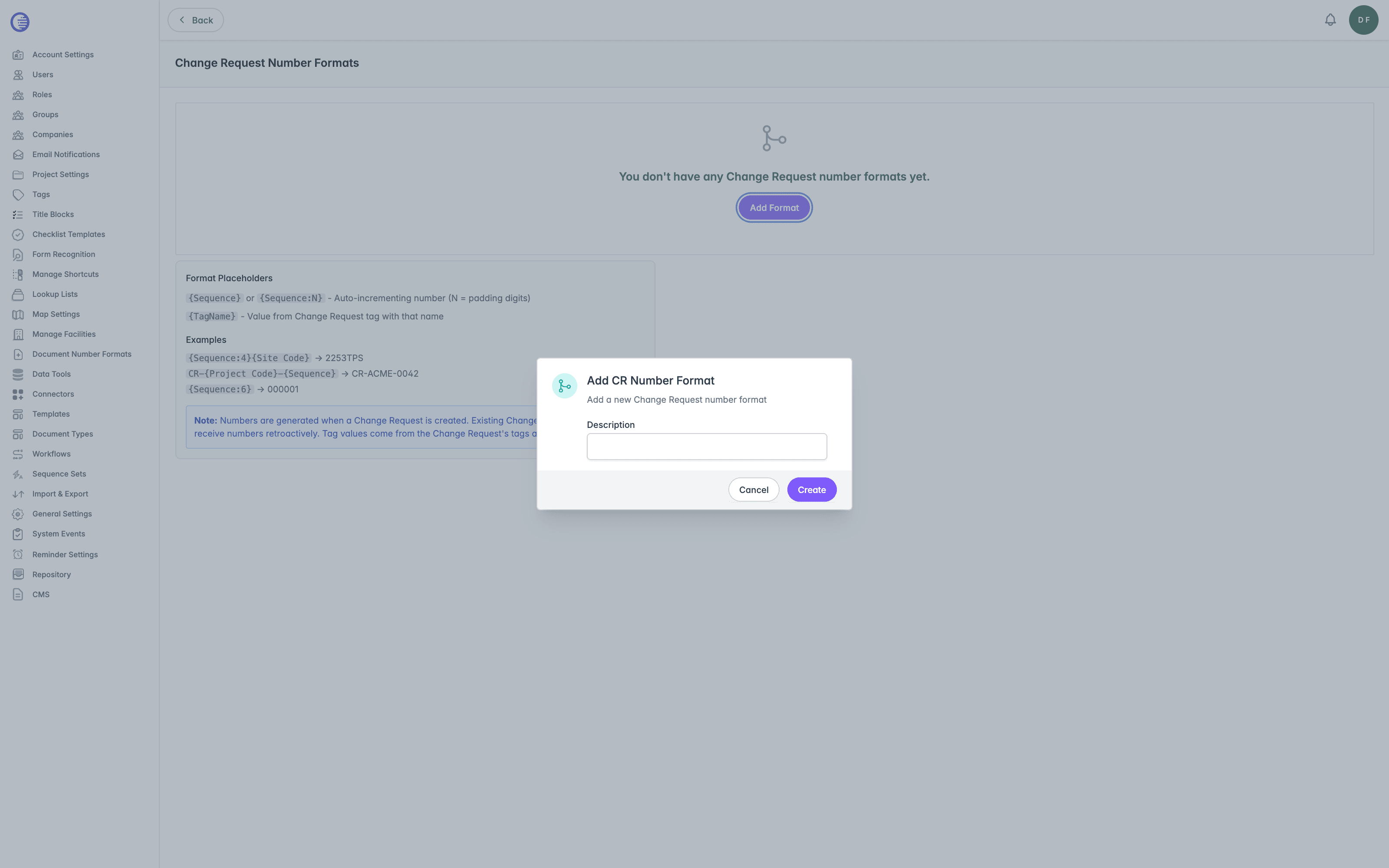
With no formats yet configured, the page shows an empty state with a single Add Format button. Select it, enter a Description for the new format, then select Create. A new format is created with a starting Number Format of {Sequence:4} and a Sequence Padding of 4, ready to edit.
Once at least one format exists, Add Format moves to the top of the page so you can create further formats alongside it.
Each format appears as its own card, showing:
| Field | What it controls |
|---|---|
| Description | The name shown at the top of the card. Formats are listed alphabetically by this value, not by when they were created. |
| Number Format | The pattern used to build the Change Request number, made up of fixed text and placeholders in { }. |
| Sequence Padding | The number of digits the running number is padded to when a format uses plain {Sequence} rather than {Sequence:N}, from 1 to 10. |
A small remove control sits in the top corner of each card. Selecting it deletes the format immediately. There is no confirmation prompt, so check you have the right card before selecting it.
Editing Number Format or Sequence Padding saves the change as soon as you leave the field. There is no separate Save button on this page.
Format Placeholders
The page includes a permanent help section explaining the two placeholder types:
{Sequence}or{Sequence:N}. An auto-incrementing number, whereNis the number of padding digits.{Sequence:4}produces0001,0002, and so on. Plain{Sequence}instead uses the format's own Sequence Padding field.{TagName}. The value of a Change Request tag with that name, taken from the Change Request's tags at the moment it is created.
The page's own examples:
| Format | Produces |
|---|---|
{Sequence:4}{Site Code} | 2253TPS |
CR-{Project Code}-{Sequence} | CR-ACME-0042 |
{Sequence:6} | 000001 |
Any placeholder that does not match {Sequence}, {Sequence:N}, or a real tag name is silently removed from the generated number rather than left in place.
There is no single-quote literal-text mechanism here, unlike Document Number Formats. Any single quotes you enter in Number Format are copied into the generated number as literal characters rather than treated as a quoting delimiter.
Do not copy syntax from Document Number Formats
This page and Document Number Formats are read by two separate, incompatible parsers. This page supports inline Sequence padding such as {Sequence:2}, which Document Number Formats does not. Document Number Formats supports single-quoted literal text and a {TagName:exclude(OtherTagName)} modifier, neither of which works here. Copying a pattern from one page to the other produces the wrong result rather than an error.
Numbers are not retroactive
Numbers are only generated when a Change Request is created. Existing Change Requests do not receive a number retroactively if you add or change a format afterwards.
How the Active Format Is Chosen
This page can show more than one format at once, because it lists every format that could apply to the project you were in when you opened it: any format scoped to that project's document repository, plus every format that has no repository at all.
Only one of those formats is actually used when a Change Request is created in a given repository:
- Lunr looks for the most recently created format scoped to that repository.
- If none exists, it falls back to the most recently created format that has no repository set, so it applies across every repository that has no format of its own.
Because the choice always falls to the most recently created matching format, having several formats scoped to the same repository does not let you switch between them. Only the newest one is live; the others are inactive until you delete the newest.
The running number itself is tracked per document repository, not per format. If two formats target the same repository, they still share one advancing sequence rather than counting separately.
The sequence is scoped per repository, never per tag
Every Change Request created in a repository shares the same running Sequence counter, no matter how many {Tag} placeholders you add to the Number Format to decorate the number. Adding a tag placeholder such as {Site Code} changes what is displayed alongside the number; it does not give each tag value its own counter. Do not design a numbering scheme around the assumption that, for example, each site or discipline gets its own sequence: {Sequence:4}{Site Code} still draws every number from one shared, per-repository sequence, so the numeric part climbs in the order Change Requests are created across all sites, not separately within each one.
Related Settings
- Project Settings is where Enable Change Request sequence numbers? lives, along with every other Change Request setting.
- Sequence Sets and Document Number Formats cover the equivalent numbering system used for ordinary documents. Change Request numbering is a separate system with its own sequence, not built on sequence sets.
Project Settings
Per-project configuration covering the project form, RFI, Change Request, Drawing Number Request, Checklist, Workflow, Download, Transmittal, and Dashboard & Navigation settings.
Change Request Workflow Display
Customise the display name, category, badge colour, and progress-nav position of each Change Request status, and the labels and ordering of the workflow actions offered at each status.